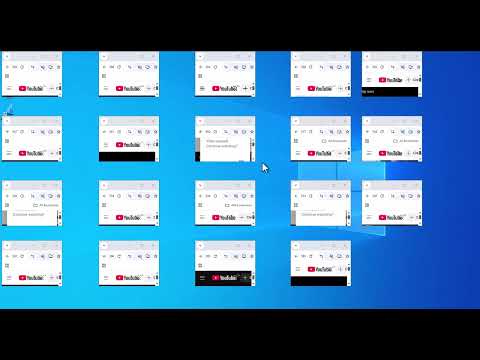
The antidetect browser course is our free, step-by-step training for running multiple online accounts safely with an anti-detect browser. It covers the full workflow in order: getting a proxy, understanding what an anti-detect browser actually does, creating isolated browser profiles, and building realistic device fingerprints for Windows and iPhone. The course is taught on RoxyBrowser and produced in both English and Arabic, because our audience asks the same questions in both languages.
It is the flagship project of Mr. Ait and the mrait team, and the numbers say it filled a real gap: the English course playlists alone have passed 718,000 combined views, and the single most-watched lesson, getting a working proxy for free, sits above 313,000 views.
What the Antidetect Browser Course Covers
The training follows the exact order we use when setting up a new multi-account workspace. Each lesson is a short, focused video you can follow in real time.
| Lesson | What you learn | Views |
|---|---|---|
| How to Get a Free Proxy (Step 1) | Where to get a working free proxy and how to check it before use | 313K |
| Antidetect Browser Explained (Step 2) | What fingerprinting is and how anti-detect browsers isolate accounts | 2.9K |
| How to Use an Antidetect Browser (Step 3) | Profiles, proxy assignment, and launching your first isolated session | 1.2K |
| Create a Windows 10 Computer (Step 4) | Building a realistic Windows VM fingerprint inside the browser | 1.7K |
| Create an iPhone Device Profile (Step 6) | Faking a mobile Safari environment for mobile-only platforms | 2.4K |
| Why Roxy Browser Is My Top Pick Now | Our honest reasoning for standardizing the course on RoxyBrowser | 37K |
The full English playlist and the complete RoxyBrowser walkthrough playlist are free to watch on YouTube.
Why We Built an Antidetect Browser Course
When we restructured mrait.ca around multi-account operations, we went looking for a structured course to recommend to readers. There was not one. RoxyBrowser and GoLogin publish helpful single-topic tutorials, and vendors document their own settings, but nobody had assembled the whole workflow, from proxy to profile to device fingerprint, into one ordered training.
So we taught it ourselves. That is the pattern behind most of our work: when the niche is missing the teaching, we make the teaching. The course went through our standard build, tested first, taught on video, then written up as a companion.
How the Antidetect Browser Course Performed
From YouTube data, October 2026
718K+ views across the English course playlists
The Arabic editions add four more playlists, 28 videos, and a separate audience that comments and asks questions in Darija and Modern Standard Arabic.
The Arabic editions matter as much as the raw numbers. The 14-lesson Arabic edition walks through the same workflow with extra lessons our Arabic viewers asked for, like recovering a blocked Gmail and creating accounts without a phone number, and the RoxyBrowser Arabic guide adds a full walkthrough with proxy setup in Arabic.
Who the Antidetect Browser Course Is For
The course assumes no prior experience with anti-detect browsers. It is written for marketers running several client accounts, sellers managing multiple storefronts, and anyone who has ever been logged out of one account by opening another. If you already know what a browser fingerprint is, start at Step 3 and use the device-fingerprint lessons as a refresher.
Read the Written Version
Prefer reading to video? The full course also exists as written, step-by-step lessons on our companion site, Roxy Browser Guides, with each lesson embedding its video. On mrait.ca, the course connects to our reference cluster: what a stealth browser is, whether stealth browsers are safe, what multiple login means, and how to log in to multiple accounts on the same website.
FAQ
Is the antidetect browser course free?
Yes. Every lesson in the English and Arabic playlists is free to watch on the MR AIT YouTube channel.
Do I need to buy RoxyBrowser to follow along?
You can follow the concepts with any anti-detect browser, since the workflow, proxy, profile, fingerprint, is the same across tools.
Is an antidetect browser legal to use?
The browser itself is a normal tool. What matters is that you use it within the terms of the platforms you log in to.
Sources
- MR AIT YouTube channel, course playlists and per-video view counts, October 2026
- Roxy Browser Guides, written course companion
- Our related guides: stealth browsers explained and stealth browser safety